|
|
| Author |
Message |
Elaine E
Joined: 04 Oct 2007
Posts: 2
Location: Kirkland, WA
|
 Posted: Thu Oct 04, 2007 3:24 am Post subject: Action: Select the Layer Below the Current One Posted: Thu Oct 04, 2007 3:24 am Post subject: Action: Select the Layer Below the Current One |
 |
|
Heya.
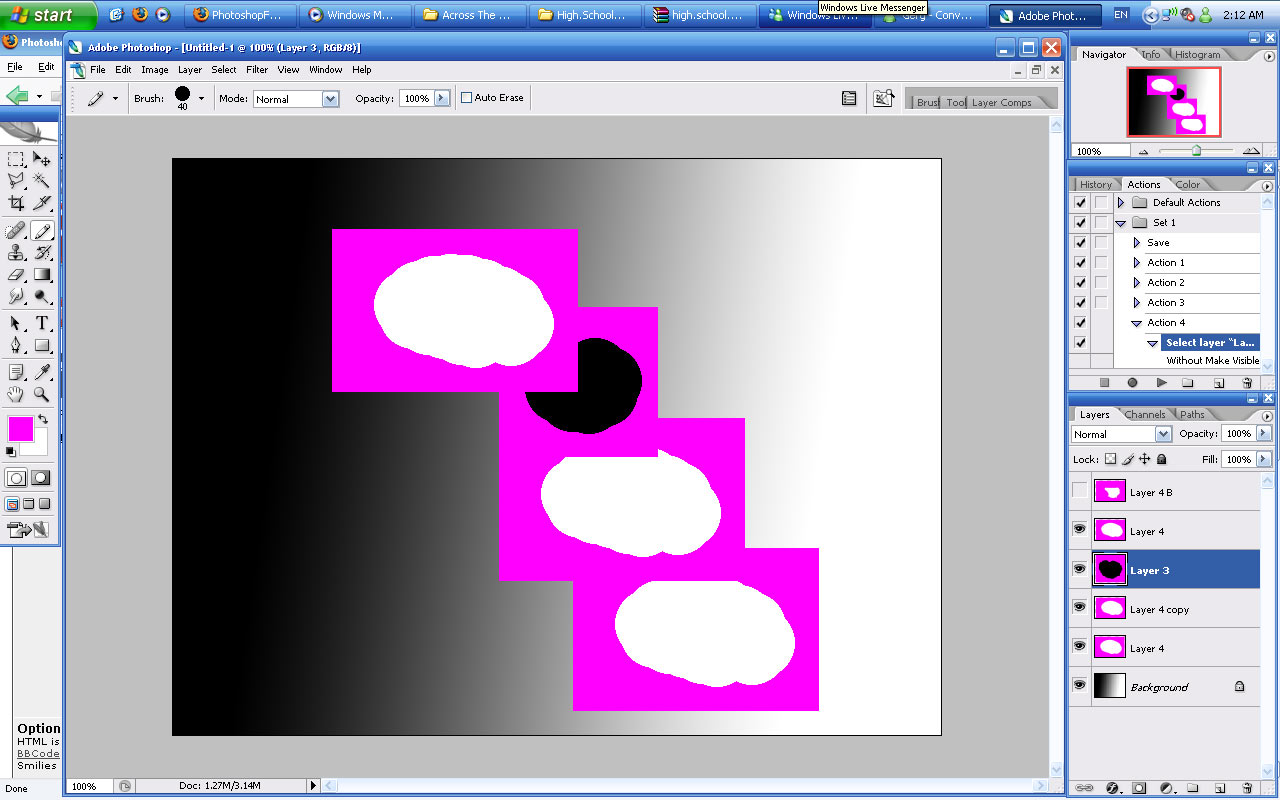
So, I have a photoshop file with one background layer and about 70 smaller layers all filled with small images (some of which overlap) surrounded by a rectangle of magenta. (Attached is a crude example of what I'm talking about.)
I want to create an action that deletes the magenta for every layer, without having to do them one by one. What I've got so far is:
1. Color Range (to select the magenta color)
2. Delete
3. Deselect
What I need after that is something that says "select layer below the currently selected one and repeat". Is there any way I can do this? I'm using CS2 and I haven't found a way to edit the action script or anything...
Since I only need to output this image as jpeg, i suppose I could add "merge down" to the Action, and then all I would have to do is click the play button 70 times (so that way I don't have to select the layer). However, I have some layers that are directly on top of each other so that would make it a bit difficult, plus it would be better if i could retain all my layers, just without the magenta boxes....
Help, please!
| Description: |
|
| Filesize: |
148.13 KB |
| Viewed: |
9823 Time(s) |
|
|
|
|
|
|
 |
Elaine E
Joined: 04 Oct 2007
Posts: 2
Location: Kirkland, WA
|
| Posted: Thu Oct 04, 2007 3:33 am Post subject: |
|
|
OMG my boyfriend just figured out the answer to this right after I got done posting. The main problem I was having was that if you just click the layer below the one your on in the action script it says "Select Layer 'layer 4 copy'" (or whatever you have it named) instead of saying "Select the layer below the one you're currently on" or something. But what my boyfriend found out is apparently Alt+[ selects the layer below your current one (it says "Select Backward Layer") so I can record that into the action script, saving tons of time.
Now all I need is something that repeats the action until it gets to the background layer and encounters an error or something.
|
|
|
|
|
|
doubrovski
Joined: 29 Sep 2007
Posts: 230
|
| Posted: Sat Oct 06, 2007 1:54 am Post subject: |
|
|
Hi Elaine,
Borrow layer-name-independent command from standard Photoshop actions.
- Load "Text Effects" action set
- Expand "Die Cut" action
- Find "Select Backward Layer" command
- Hold down [Alt] key (to leave a copy in the source action) and drag this command into your action

_________________
Andrei Doubrovski
SimplePhotoshop.com |
|
|
|
|
|
|









