|
|
| Author |
Message |
Arrrgh4life
Joined: 15 Sep 2007
Posts: 2
|
 Posted: Mon Oct 15, 2007 11:30 am Post subject: Completely Useless, But Cool Plasma Flower Effect Posted: Mon Oct 15, 2007 11:30 am Post subject: Completely Useless, But Cool Plasma Flower Effect |
 |
|
Here is my plasma flower explosion tutorial. I think the end product looks pretty cool.
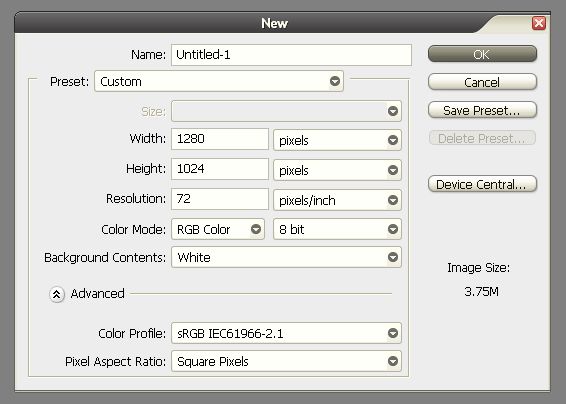
1. Create your document. I used 1280x1024 with a white background.
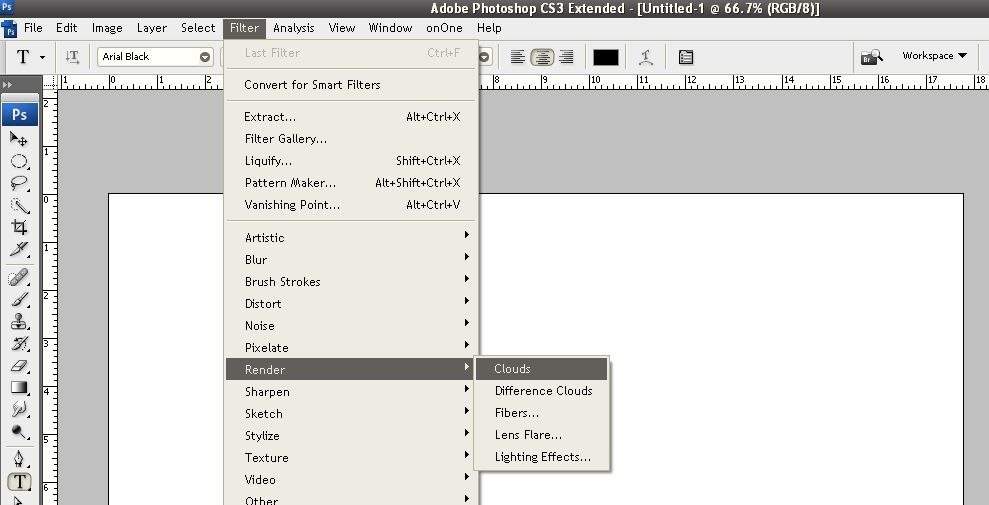
2. We add some clouds. So, filter > render > clouds as seen in the photo below.
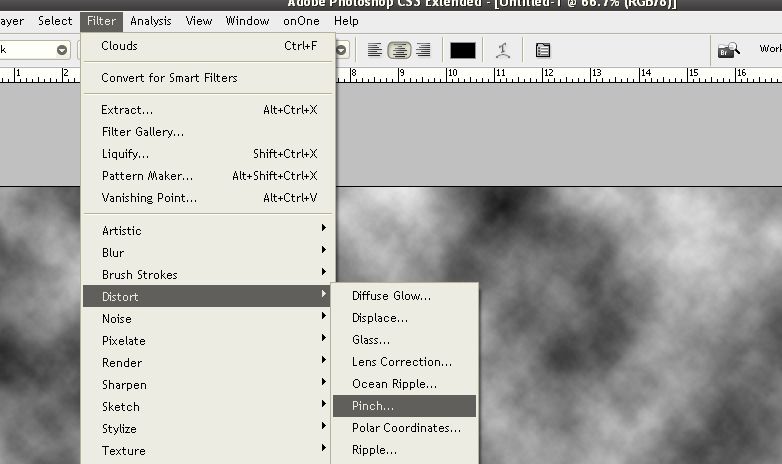
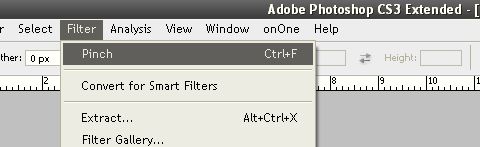
3. OK, now pinch it. Do filter > distort > pinch. Use the settings seen below. Now repeat that filter by doing CTRL + F.
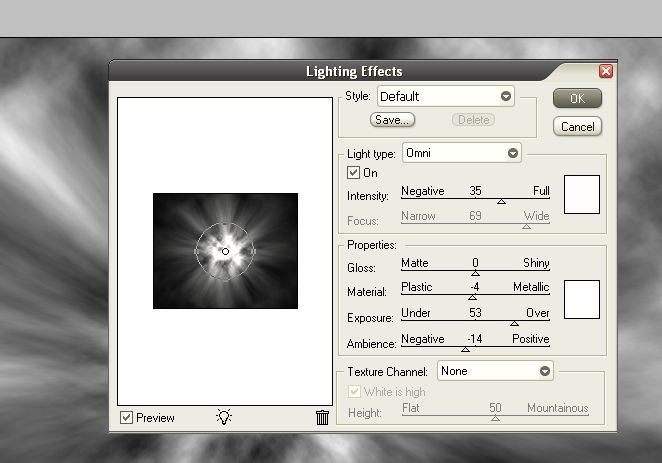
4. Looking good - now, let's add some light. Do filter > render > lighting effects and use the settings I have in the photo below or you can play around with it some.
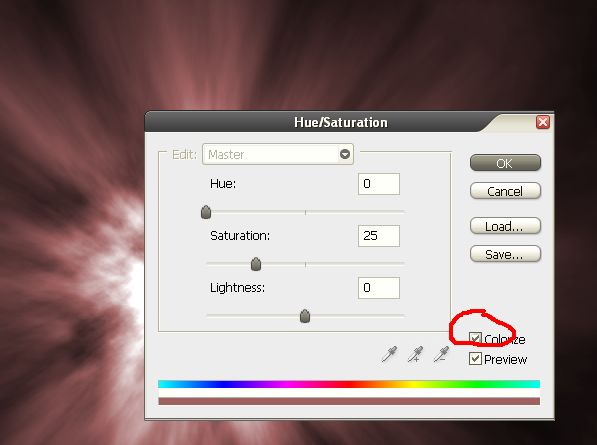
5. Let's get some color in here. Go to image > adjustments > hue/saturation and check the colorize box. I made mine red, but any color will work.
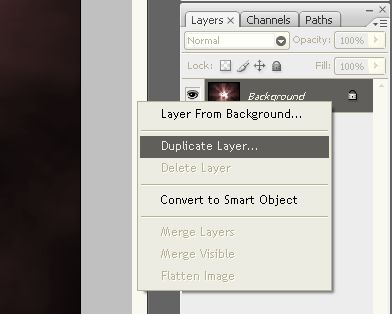
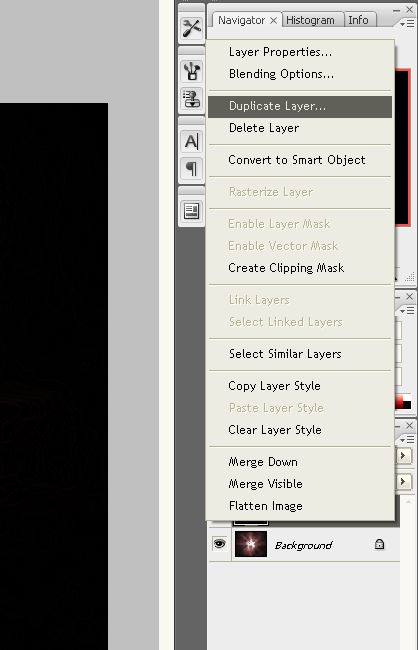
6. Duplicate the layer. A shortcut is CTRL + J.
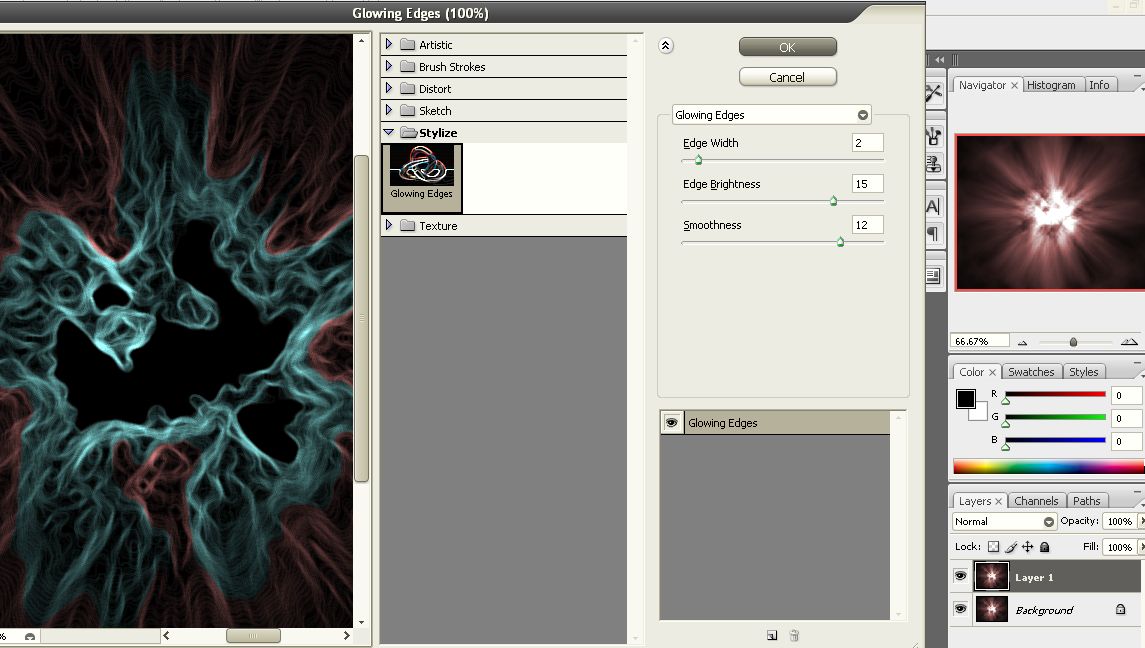
7. On this duplicated layer, we will add an edge glow effect. Go to filter > stylize > glowing edges and use the settings shown below.
8. Change the blending mode of this layer to overlay as seen in the photo.
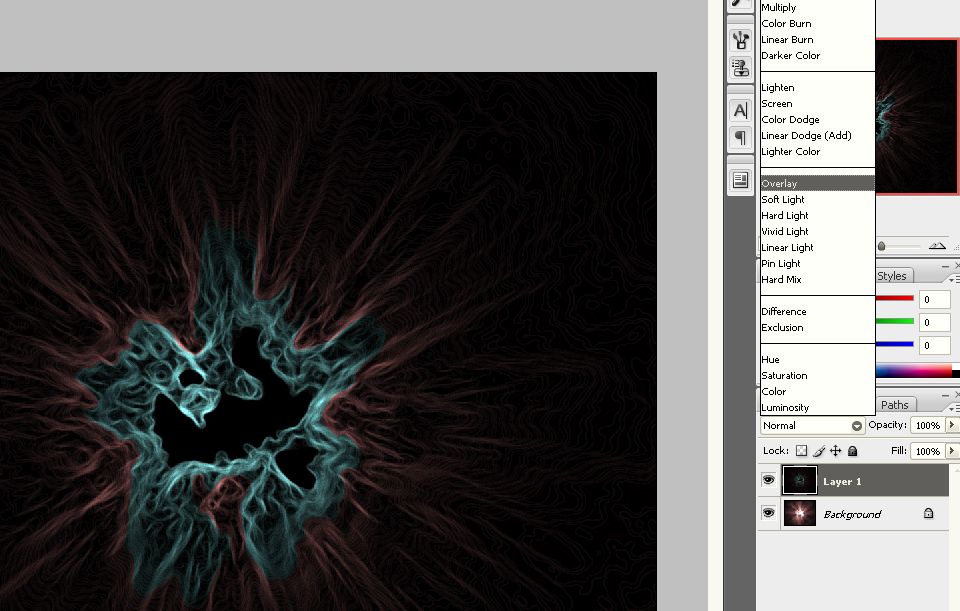
You should get something like this:
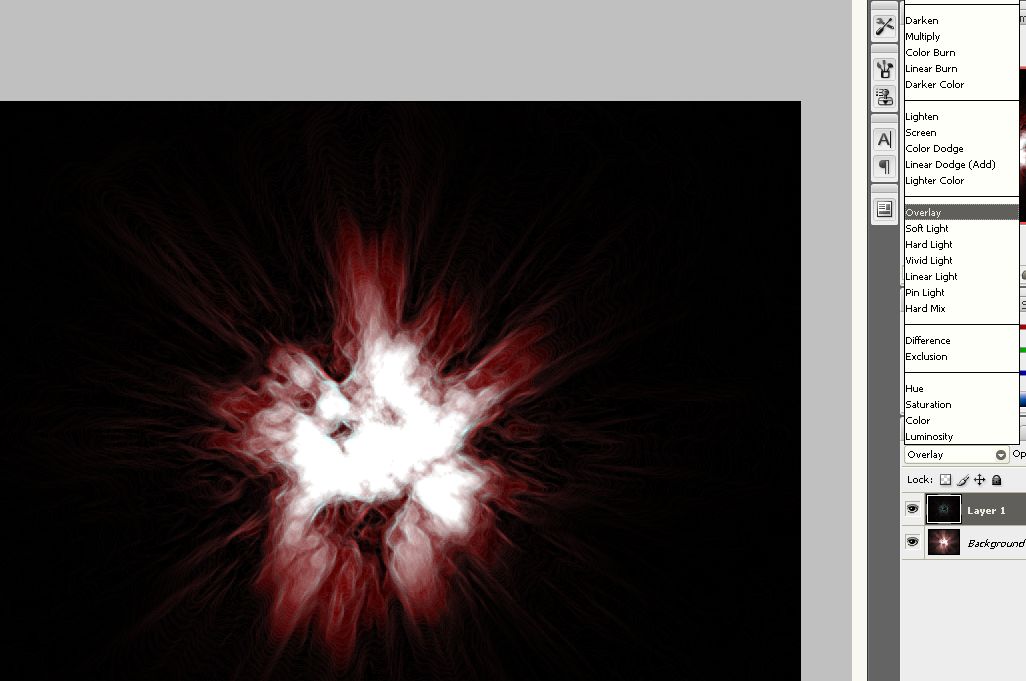
9. Duplicate this layer again, then one more time and, on that last copy, change the blending mode to lighten.
10. TADA!!! Play around with colors and duplicating the layers and different blending modes until you get something original and gnarly. I cropped this image to make it more awesome. Have fun!
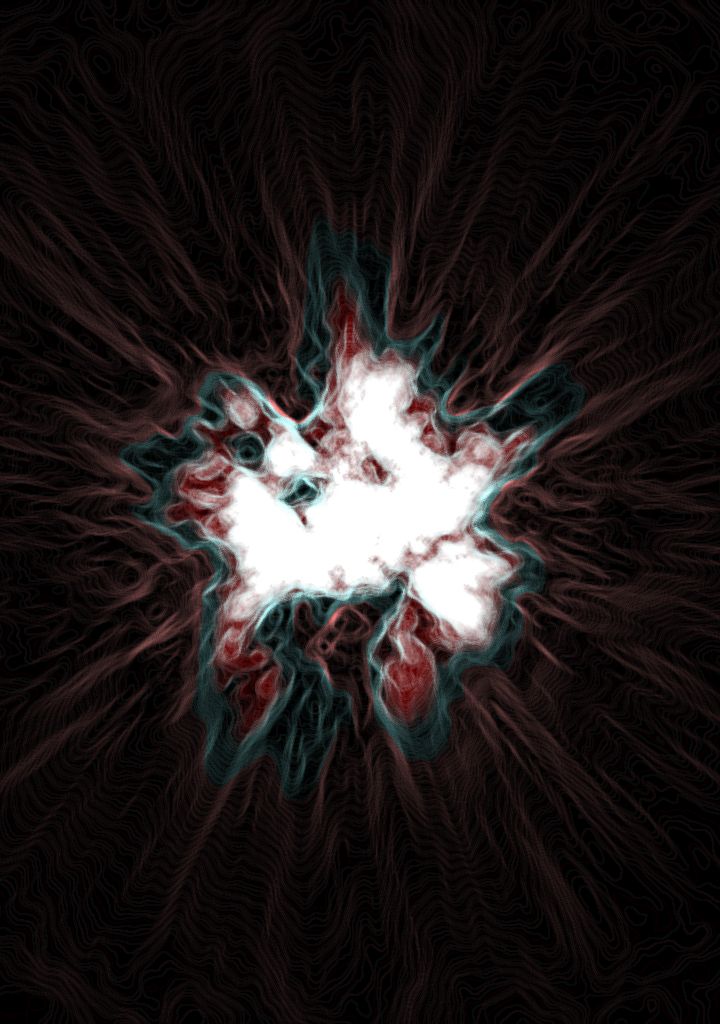
The PSD file for this tutorial is also available. |
|
|
|
|
 |
Patrick
Administrator

Joined: 14 Feb 2003
Posts: 11945
Location: Harbinger, NC, U.S.A.
|
| Posted: Mon Oct 15, 2007 11:35 am Post subject: |
|
|
|
|
|
|
|
|
MASS0
Joined: 07 Jan 2008
Posts: 2
|
| Posted: Mon Jan 07, 2008 4:35 am Post subject: |
|
|
very cool my friend |
|
|
|
|
|
pray4me
Joined: 09 May 2008
Posts: 7
Location: South Dakota
|
| Posted: Fri May 09, 2008 12:12 pm Post subject: |
|
|
|
|
|
|
|
|
ElPires
Joined: 28 Sep 2012
Posts: 4
Location: Coimbra, Portugal.
|
| Posted: Fri Sep 28, 2012 4:49 pm Post subject: |
|
|
 That's just amazing That's just amazing |
|
|
|
|
|
|









