|
|
| Author |
Message |
platinum
Joined: 14 Feb 2003
Posts: 54
|
 Posted: Sun Mar 02, 2003 10:25 pm Post subject: Dot Pattern Posted: Sun Mar 02, 2003 10:25 pm Post subject: Dot Pattern |
 |
|
This tutorial is quite simple and probably the easiest way to create the "puck" marks which are very popular.
Create a new image, 10 pixels by 10 pixels with a transparent background.
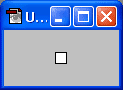
Now, using the pencil tool, add a dark gray dot somewhere in the canvas (I've used #404040).
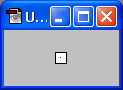
Then click on the layer styles button and select a drop shadow with the following settings:
Mode: normal.
Color: white.
Opacity: 60%.
Distance: 1.
Spread: 0.
Size: 0.
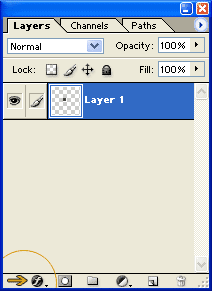
Now go edit/define pattern and give it a name.
You can now apply it to your documents. Make a new document, any size (say 400 pixels by 100 pixels) and color it with any color. Then click the layer styles button I mentioned earlier and "pattern overlay". Then select the pattern you named earlier from the dialog box that appears. If you need to make the dots a little lighter (sometimes a good idea), lower the opacity here as well, then click OK!
You may need to mess about with opacities and colors to get it right sometimes, but thats the general idea.

_________________
» Design Services
» Hosting
» Personal
» Platinum-Central |
|
|
|
|
 |
Patrick
Administrator

Joined: 14 Feb 2003
Posts: 11945
Location: Harbinger, NC, U.S.A.
|
| Posted: Sun Mar 02, 2003 11:19 pm Post subject: |
|
|
|
|
|
|
|
|
JMulder

Joined: 04 Mar 2003
Posts: 48
Location: Netherlands
|
| Posted: Wed Mar 05, 2003 2:22 pm Post subject: |
|
|
|
|
|
|
|
|
TiDaL

Joined: 12 Apr 2003
Posts: 384
|
| Posted: Sun Apr 13, 2003 8:05 pm Post subject: |
|
|
thanx, very easy step by step description.. i always wanted to learn how to do that but to lazy to actually teach myself heh |
|
|
|
|
|
Patrick
Administrator
Joined: 14 Feb 2003
Posts: 11945
Location: Harbinger, NC, U.S.A.
|
| Posted: Tue Apr 15, 2003 7:50 pm Post subject: |
|
|
|
|
|
|
|
|
platinum
Joined: 14 Feb 2003
Posts: 54
|
| Posted: Wed Apr 16, 2003 8:24 pm Post subject: |
|
|
not sure, I've never used it Patrick..
it probably doesn't have layer styles, so instead... 
1) Make a new document about 10 x 10px wide
2) decide on your background colour you're putting the dots onto...
3) pick 2 colours, one slightly lighter, and one slightly darker than the origional colour.
4) zoom in and draw the a single pixel dot somewhere on it with the lighter colout. And diagonally down from that (so the two 'pixels' corners are kinda touching). and draw the darker dot.
5) make a new document and use the fill tool, select 'fill with pattern' or something like that, and select the document which has the dot in it to fill with
Hope that kinda explains it
_________________
» Design Services
» Hosting
» Personal
» Platinum-Central |
|
|
|
|
|
Lmonkey08
Joined: 12 Feb 2008
Posts: 8
|
| Posted: Tue Feb 12, 2008 1:35 pm Post subject: |
|
|
Thanks for the tutorial  |
|
|
|
|
|
the arkitect
Joined: 13 Feb 2010
Posts: 1
Location: Houston
|
| Posted: Mon Feb 15, 2010 4:15 pm Post subject: |
|
|
good tutorial, thanks
_________________
All I ever wanted to do is pick apart today, put the pieces back together my way. -Aesop Rock |
|
|
|
|
|
Auieos
Joined: 29 Jan 2010
Posts: 2019
|
| Posted: Mon Feb 15, 2010 8:17 pm Post subject: |
|
|
Nice tutorial, always enjoy learning new stuff like this. |
|
|
|
|
|
liquidnailer
Joined: 18 Jan 2011
Posts: 1
|
| Posted: Tue Jan 18, 2011 12:40 am Post subject: Dots |
|
|
I am seeing this background on a lot of marketing videos lately. It looks very effective as a background in a video. |
|
|
|
|
|
|









