|
|
| Author |
Message |
JohnnyFever
Joined: 02 Feb 2007
Posts: 55
|
 Posted: Wed Oct 17, 2007 10:42 am Post subject: How to get rid of the background... Posted: Wed Oct 17, 2007 10:42 am Post subject: How to get rid of the background... |
 |
|
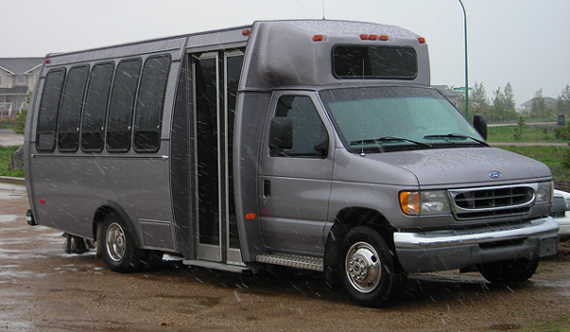
Hi all I was just wondering how I can take the picture attached, remove the background, and put the bus on a transparent background?
| Description: |
|
| Filesize: |
185.56 KB |
| Viewed: |
1046 Time(s) |
|
|
|
|
|
|
 |
JohnnyFever
Joined: 02 Feb 2007
Posts: 55
|
| Posted: Wed Oct 17, 2007 11:06 am Post subject: |
|
|
I have been playing around and used the magnetic lasso tool and was able to put it on a new transparent background but when i add the image to dreamweaver it shows up with a white background. What should I be saving the image as> I saved it as a jpg image.
|
|
|
|
|
|
doubrovski
Joined: 29 Sep 2007
Posts: 230
|
| Posted: Wed Oct 17, 2007 8:42 pm Post subject: |
|
|
Hi JohnnyFever,
- Open Save for Web dialog
- Choose GIF format
- Check "Transparency" gadget
_________________
Andrei Doubrovski
SimplePhotoshop.com |
|
|
|
|
|
Stealthman
Joined: 09 Jan 2008
Posts: 11
|
| Posted: Thu Jan 17, 2008 5:28 pm Post subject: |
|
|
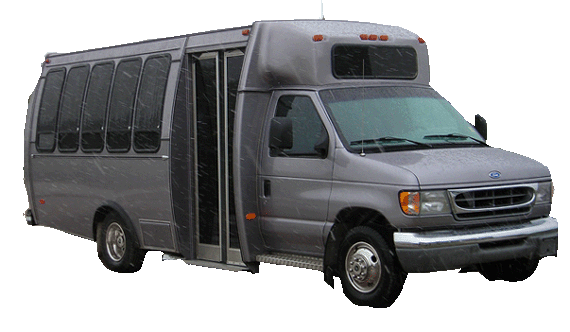
Here is a quick job
| Description: |
|
| Filesize: |
86.16 KB |
| Viewed: |
899 Time(s) |
|
|
|
|
|
|
|
Fenske
Joined: 11 Jun 2008
Posts: 2
|
| Posted: Wed Jun 11, 2008 8:32 pm Post subject: |
|
|
Say that I wanted just a bit of the photo out of the signature/picture. For example the banner at the head of the Crysis forums: http://www.crysis-online.com/
Sorry for necroing.
|
|
|
|
|
|
greg-andrew74
Joined: 13 Jun 2008
Posts: 14
|
| Posted: Fri Jun 13, 2008 9:25 am Post subject: |
|
|
Instead of using the magnetic lasoo tool, i would probably use the polygonal instead... and if you go off course, just use the backspace button to correct.. you may find this a litle more longwinded, but you will find it will cut the image where you want it too.. possibly give it a feather of 1 or two pixels.
I'm no expert, hope it helps..
|
|
|
|
|
|
LurkerPatrol

Joined: 19 Jun 2008
Posts: 26
Location: California
PS Version: CS3
OS: XP Professional
|
| Posted: Tue Jun 24, 2008 4:20 pm Post subject: |
|
|
| JohnnyFever wrote: | | I have been playing around and used the magnetic lasso tool and was able to put it on a new transparent background but when i add the image to dreamweaver it shows up with a white background. What should I be saving the image as> I saved it as a jpg image. |
For best quality save the image as a .png
For smallest size but worse quality save it as a .gif
|
|
|
|
|
|
combiBob
Joined: 11 Mar 2008
Posts: 188
Location: Florida
|
| Posted: Fri Jun 27, 2008 6:16 am Post subject: |
|
|
Use the pen tool and cut a path.
|
|
|
|
|
|
|









