|
|
| Author |
Message |
randomdood
Joined: 25 Apr 2006
Posts: 14
|
 Posted: Tue Apr 25, 2006 11:07 pm Post subject: Weird Thing! Posted: Tue Apr 25, 2006 11:07 pm Post subject: Weird Thing! |
 |
|
Do you call this abstract?
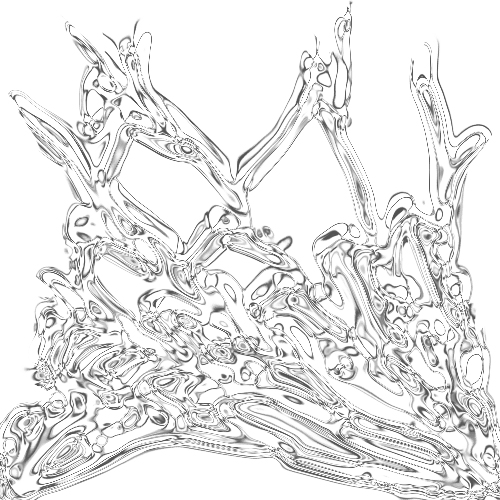
Anyway, here is how you do it. First, create a new image with a white background color. Next, create a new layer and fill it in with white and then select a color you want and draw lines, like this:
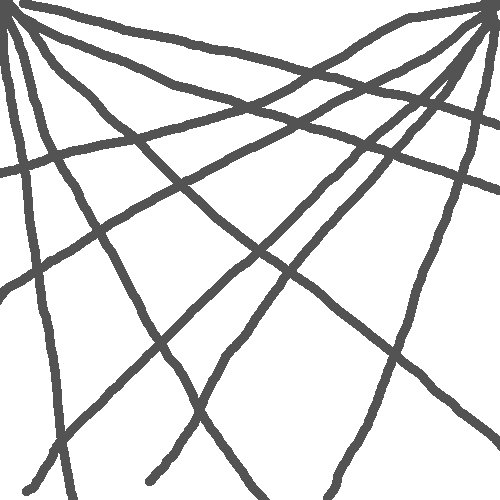
See how the lines start from the upper two corners?
Next, use the liquify tool to create something like this (be sure to use liquify toward the corners).
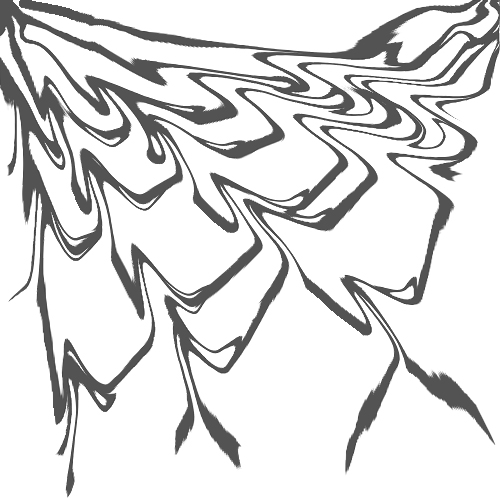
Finally, use chrome (man, I do love it, eh?) at 9, 10 or whatever suites it best.
The finished result looks something like this (I rotated mine 180 degrees):
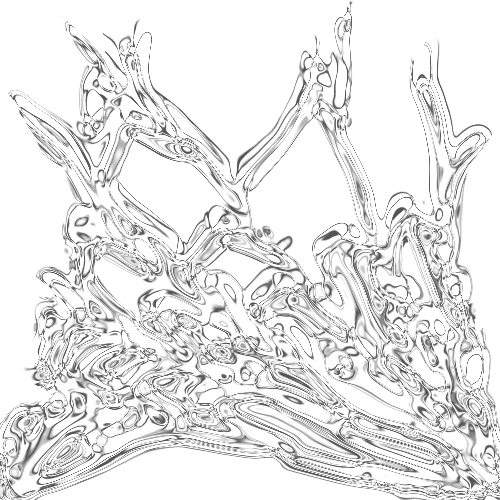
You can also duplicate the layer and use an effect like overlay or linear dodge. |
|
|
|
|
 |
Patrick
Administrator

Joined: 14 Feb 2003
Posts: 11945
Location: Harbinger, NC, U.S.A.
|
| Posted: Wed Apr 26, 2006 8:08 am Post subject: |
|
|
|
|
|
|
|
|
mqmrs
Joined: 20 Oct 2007
Posts: 4
|
| Posted: Sat Oct 20, 2007 2:40 am Post subject: |
|
|
That soo cool thanks |
|
|
|
|
|
photo-girl
Joined: 05 Nov 2007
Posts: 11
|
| Posted: Sun Nov 11, 2007 1:18 pm Post subject: |
|
|
|
|
|
|
|
|
dexterss
Joined: 01 Aug 2008
Posts: 3
|
| Posted: Fri Aug 01, 2008 5:08 am Post subject: |
|
|
nice work. |
|
|
|
|
|
Kryn

Joined: 07 May 2009
Posts: 48
|
| Posted: Thu May 07, 2009 5:23 am Post subject: |
|
|
I'll be frank with you and say I don't like it.
Plus yours is pixelated and it really makes no sense at all. I'm fond of a lot of Abstract work, so I'm not bias about Abstract art or anything, it's just that I'd go to the extent of not even calling that Art.
But this is the point where you have to take note that Art is subjective, and my opinion is my own. I believe I have the right to it, just as you have the right to ignore it.
Have a nice day.
_________________
~ Kryn |
|
|
|
|
|
|









